Interactive product demos of your real app
Web Demo is the interactive demo platform that records a click-through of your real product, adds hotspots and tooltips, then shares a guided walkthrough or a free-roam sandbox that feels exactly like the live app.
Free plan, no credit card. Build your first interactive demo in five minutes.
Don't take our word for it — click around
This is a real interactive product demo built with Web Demo and embedded with a single line of code. Hover in, follow the guide, and interact with it live.
From your app to a shareable demo in three moves
No screen recordings, no staging environment, no engineering tickets.
- 01
Capture
Record any website with the Chrome extension. Every click is saved as a step — a crisp screenshot plus a full DOM snapshot.
- 02
Guide
Add hotspots, tooltips, spotlights, and cinematic camera zooms in the editor to lead viewers through the exact flow that matters.
- 03
Share
Publish a guided tour or an interactive sandbox as a link or a one-line embed — then watch the analytics roll in.
See the product demo software in action
Explore the editor, dashboard, and analytics you'll use to build and measure every interactive demo.
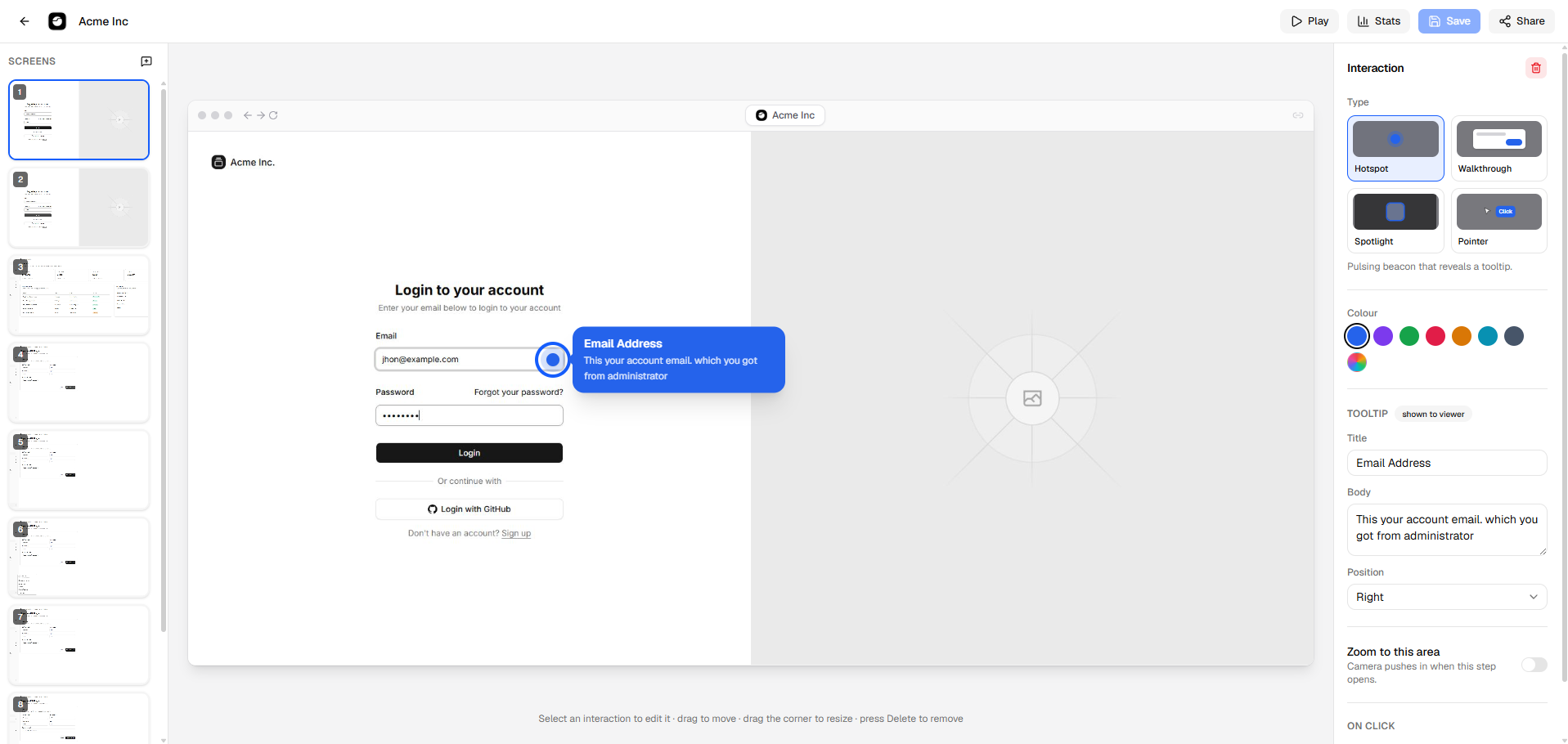
The demo editor
Arrange steps, drop hotspots and tooltips, and set camera zooms on a canvas of your real UI.
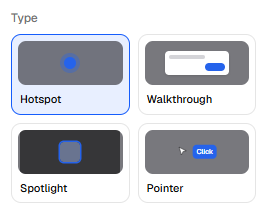
Interaction types
Choose how each step reacts — click, hover, tooltip, or spotlight.
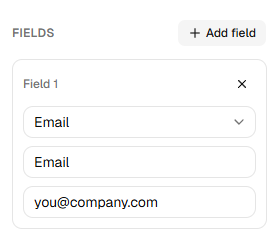
Custom fields
Personalize copy and CTAs per step to fit the viewer.
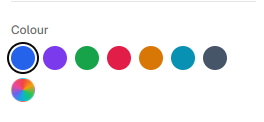
On-brand styling
Match hotspot and tooltip colors to your product's brand.
One capture, two ways to demo
Record once, then choose the experience that fits the moment — a linear walkthrough or a free-roam sandbox of your real UI.
Guided tour
Lead the viewer, step by step
- Pulsing hotspots and tooltips point to what matters
- Cinematic camera zoom and spotlights focus attention
- Branching actions send viewers down the right path
Interactive sandbox
Let them explore on their own
- Clicks land on the real recorded elements
- Forms are typeable; nothing ever navigates away
- Browse between captured pages in any order
Explore a free-roam sandbox environment
Same real UI, no rails — click anything, type into forms, and move between captured pages. It's a safe, static sandbox environment that calls nothing on the backend.
Go ahead — click into the sandbox above.
Everything you need to demo like a pro
A full toolkit for building, protecting, and measuring demos that convert.
A sandbox that feels alive
Viewers click the real recorded elements and the demo advances like a live app — fully static and safe, calling nothing on your backend.
Spotlights
Dim the screen and highlight exactly the area that matters.
Camera zoom & pan
Push in on the important region so small details are easy to follow.
Analytics & funnels
Views, unique visitors, step drop-off, CTA clicks, and completion.
Lead capture
Gate a demo behind an email form and collect qualified leads.
Embed anywhere
One responsive, sandboxed line for your site, docs, or landing page.
Access control
Password-protect links and restrict which domains may embed.
Built for the way your team already works
Wherever you'd otherwise reach for a screenshot, a video, or a live screen-share.
Close deals without another screen-share
Send a clickable demo in outreach, or hand over a sandbox on a call. Prospects explore at their own pace — and you see exactly what they engaged with.
- Cold outreach that gets replies
- Leave-behind sandboxes
- Per-prospect engagement
2.4x
more replies vs. a demo request
0%
higher engagement than a demo video
0 min
from install to first shareable demo
0%
your real UI, pixel-for-pixel
0
lines of code to build one
Questions, answered
Still curious? Reach us at [email protected].
What is interactive demo software?
Interactive demo software lets you turn your real product into a clickable, self-guided experience. Web Demo captures your app, adds hotspots and tooltips, and shares it as a guided tour or free-roam sandbox — no code and no staging environment.
Do I need to install anything?
Just a lightweight Chrome extension to capture your app. Everything else — editing, publishing, analytics — happens in the web app.
Will the demo look like my real product?
Yes. Capture records a screenshot and a full DOM snapshot of each screen, so demos are pixel-for-pixel your actual UI — not a rough mockup.
Is my data safe in the sandbox?
Sandboxes render as static, scripts-off clones. Nothing calls your backend, and you can password-protect links or restrict which domains may embed them.
Can I embed a demo on my own site?
Drop in a single responsive, sandboxed embed snippet — perfect for landing pages, docs, and help centers.
What happens when my free plan runs out?
You keep your demos. Upgrade any time for more demos, captures, seats, and analytics — and you can request a prorated refund within 7 days.
Ship your first interactive demo today
Start on the free plan and upgrade when you're ready. Setup takes minutes.